Fast set logging
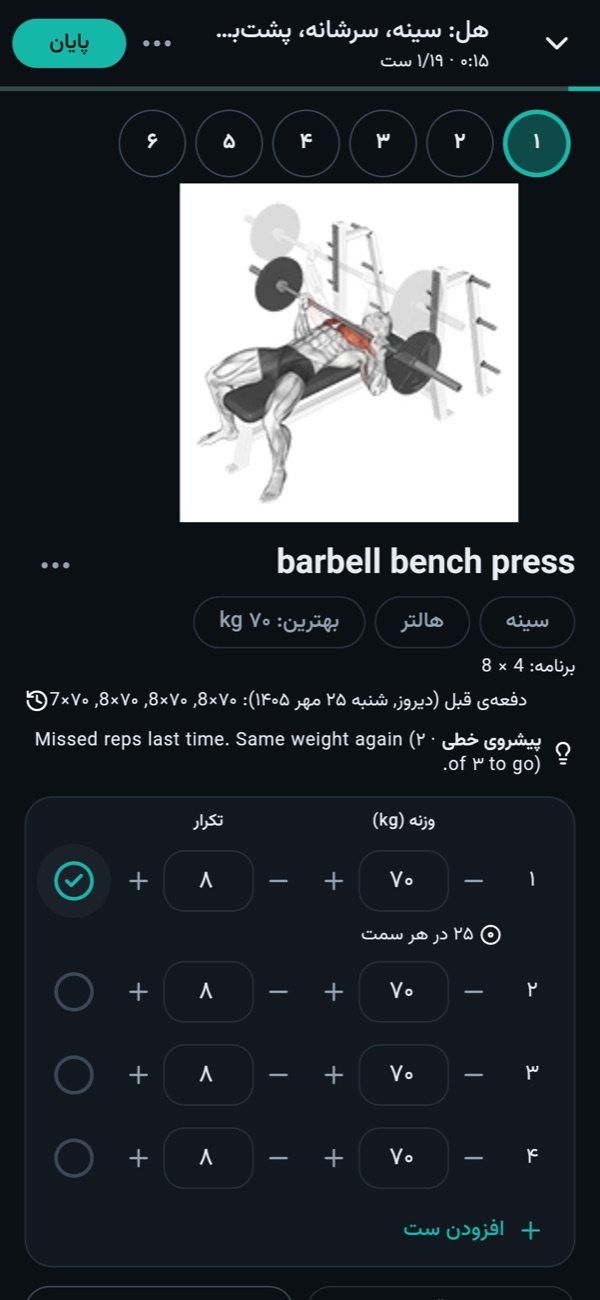
Enter weight and reps with +/− steppers. Supersets, drop sets, rest-pause, warm-ups, and timed or cardio exercises are all supported.
Owj is a gym and body-weight log. It lays out your weekly plan, suggests the weight for your next session and shows your progress with charts, records and a muscle map. No sign-up, and no internet needed.
From the first session to months later: fast logging at the gym, a plan that moves forward with you, and stats that actually help.
Enter weight and reps with +/− steppers. Supersets, drop sets, rest-pause, warm-ups, and timed or cardio exercises are all supported.
The timer starts after each set and tells you with sound and vibration when rest is over. Focus mode keeps the screen on.
Owj reads your last session and suggests the next weight. You set the progression rule and the deload week.
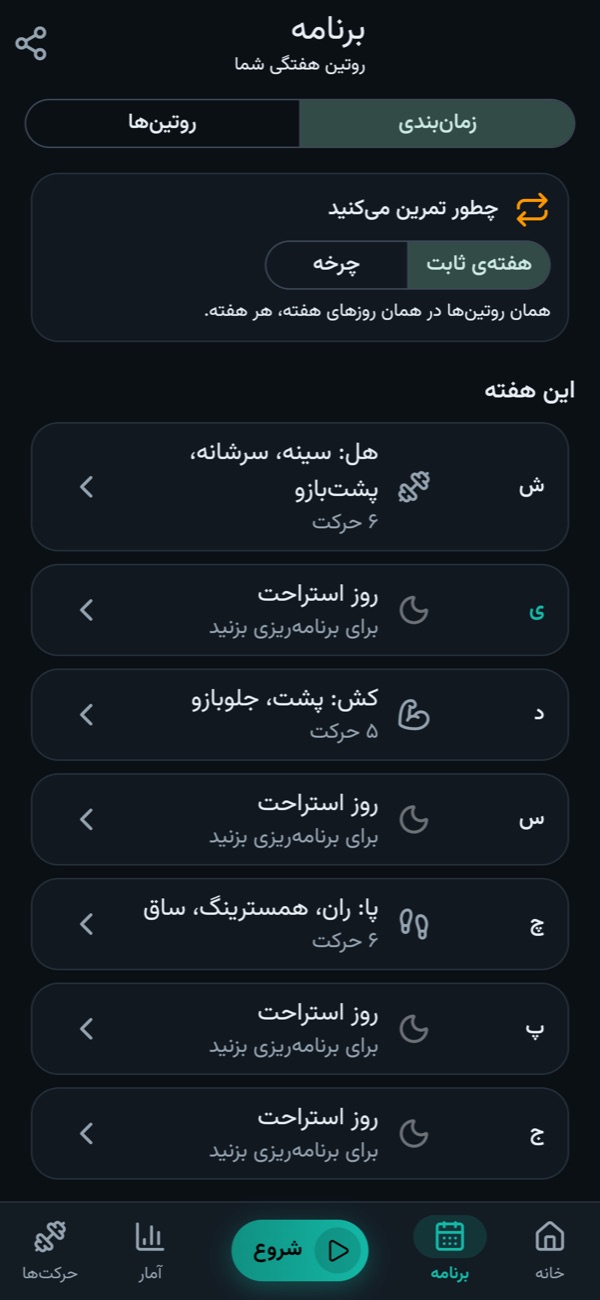
Put routines on weekdays or train them in rotation. Start from four ready plans (push/pull/legs, upper/lower, full body, 5×5) or answer a few questions to build one.
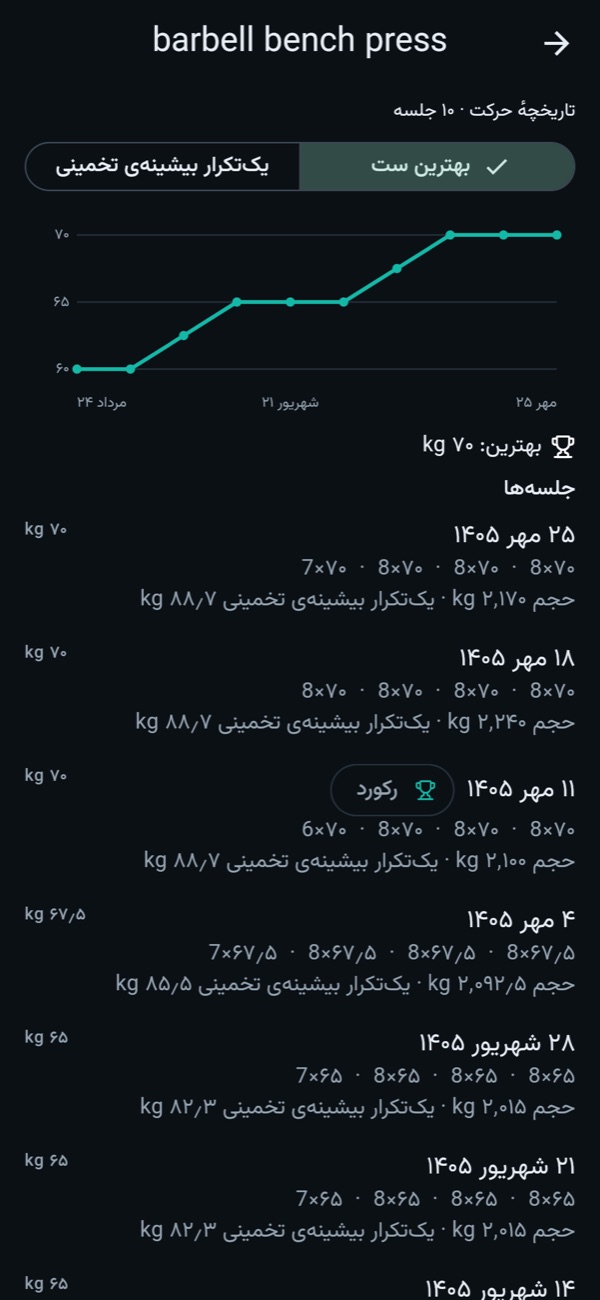
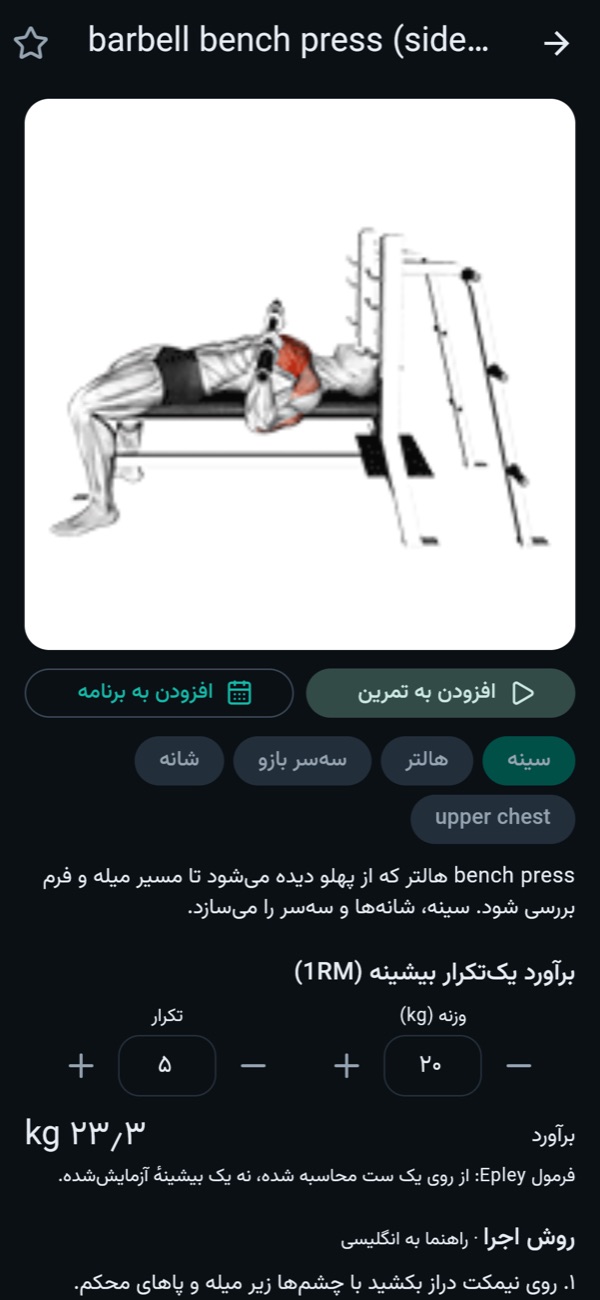
Every new record gets celebrated. Estimated 1RM, the history of each exercise and its progress chart are always a tap away.
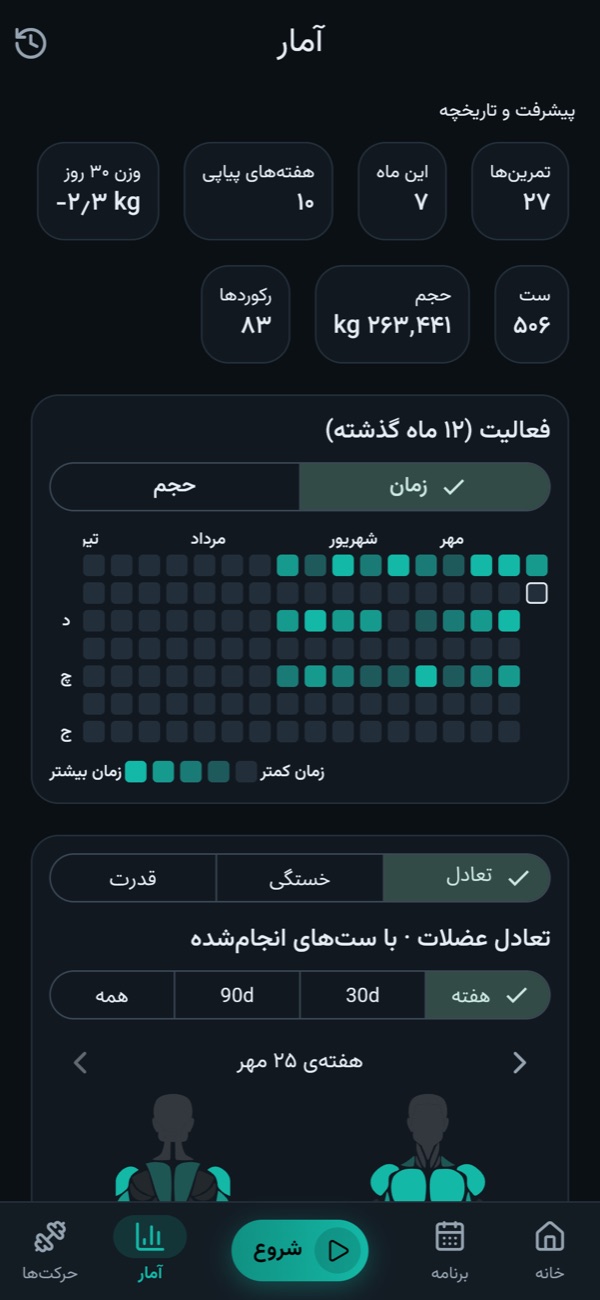
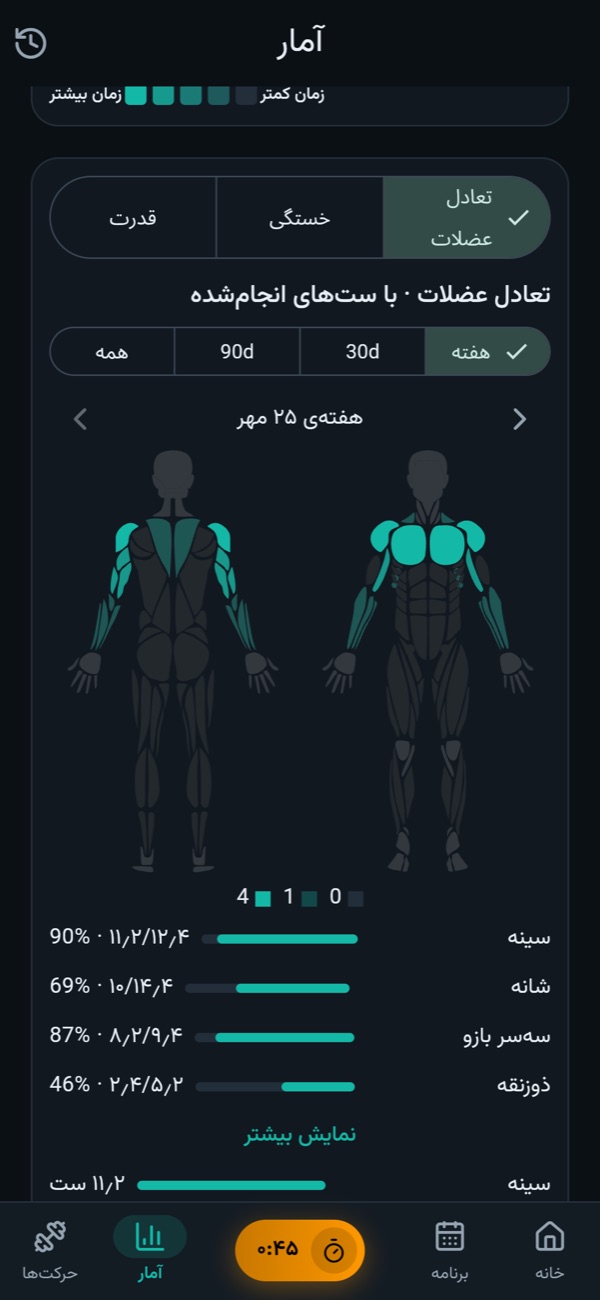
See how many sets each muscle got, which ones are falling behind, and how balanced your strength is across the main lifts.
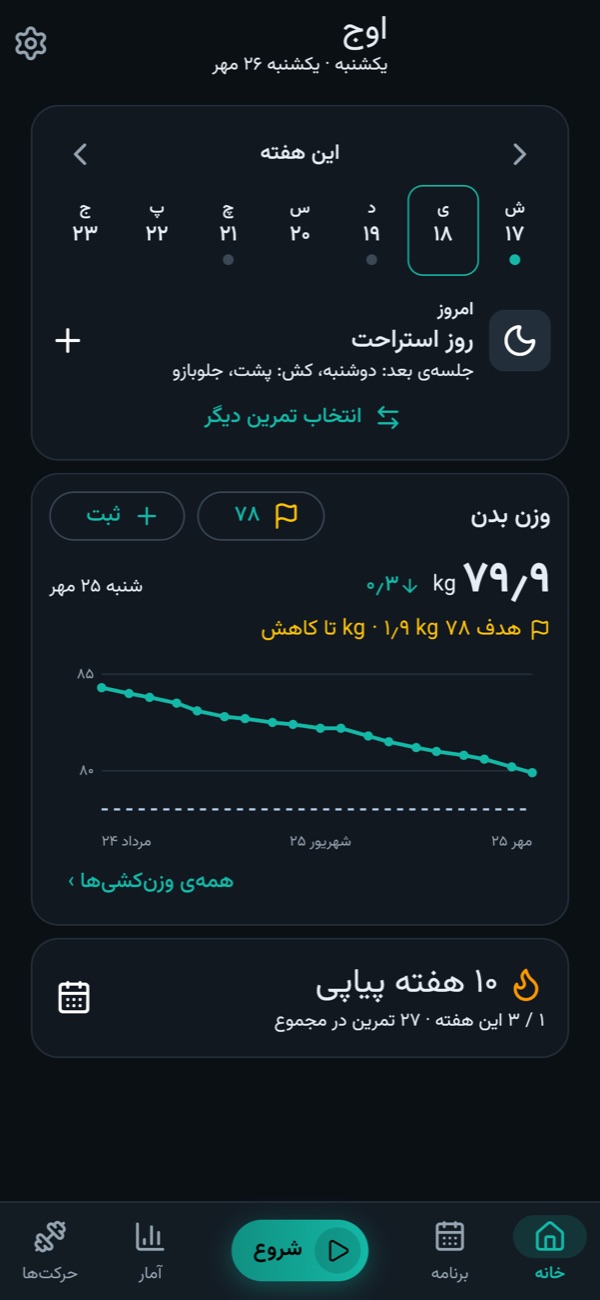
Follow your weigh-ins on a curve with a goal, log body measurements, and compare before and after photos side by side.
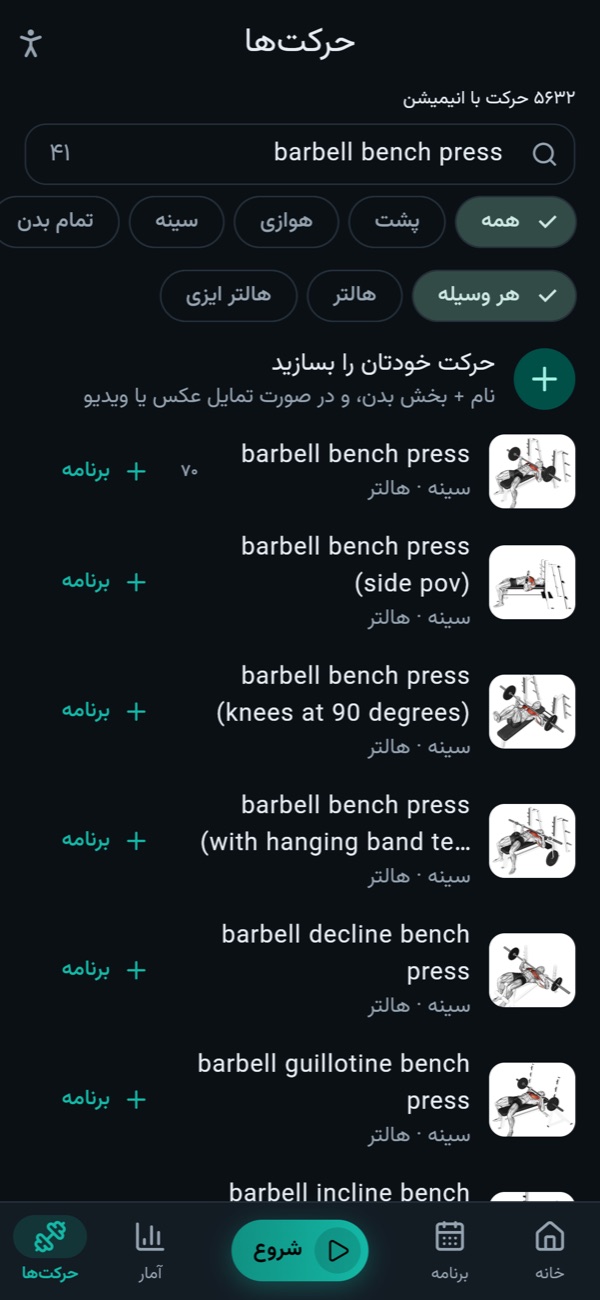
Over 5,600 exercises with animations and instructions, filtered by muscle, type and the equipment your gym has. Add your own too.
Save everything to one backup file and restore it on another phone or browser. Bring your history from Strong, Hevy, FitNotes and Apple Health.
Start a session with one tap. Owj shows what you did last time, suggests today's weight, and starts the rest timer as you tick off each set.
A chart for every exercise, total volume, set counts and records, all from what you logged and never sent anywhere.
Taken from the app itself, with two months of sample training. The interface is shown in Persian; English is one setting away.
Owj has no server and no accounts. Every set, weigh-in and photo is stored only on your own device. Internet down? It makes no difference.
Android from Cafe Bazaar; iPhone and desktop as an installable web app (PWA) that works offline once installed.
No. Logging, plans and stats all work offline. The only exception is each exercise's picture and animation, downloaded the first time you open that exercise and then kept on the device.
Only on that device. Owj has no server and no accounts. To be safe, save a backup now and then from Settings → Data & backup.
Yes, as a web app. Open app.owjfit.ir in Safari and choose Add to Home Screen from the Share menu. Owj lands on your home screen and opens offline after the first visit.
Yes. Tap Export backup on the old device and Import backup on the new one. The file is the same on Android, iPhone and the web.
Yes. Owj reads exports from Strong, Hevy and FitNotes and weights from Apple Health, and matches the exercises to its own library.
Yes. Language (Persian or English), weight unit (kg or lb), first day of the week and light or dark theme are all in Settings. In English, dates use the Gregorian calendar.
Nothing about your training or your body. The Android and iPhone apps send anonymous crash reports and basic usage counts (for example that a workout was started or finished) to help fix bugs, and you can turn this off in Settings. The web app sends nothing. Details are in the privacy policy.

A few seconds to install, a ready plan to begin with, and a training log you will never lose.